Buy this 1 Advance Search Apps in odoo Store. Get free 10+ related apps.
Easy to navigator and browse any data. Support list, kanban, pivot, graph view.
Online demo user/password: demo/demo Click to get demo.
Key features:
- Update: v12.19.05.23, Enhance UI. Add Pos Function.
- Easy to show parent children tree for tree, kanban, pivot, graph view.(Note that there would be little different in UI between odoo12,11,10)
- Responsive UI.Only show when width > 992px;
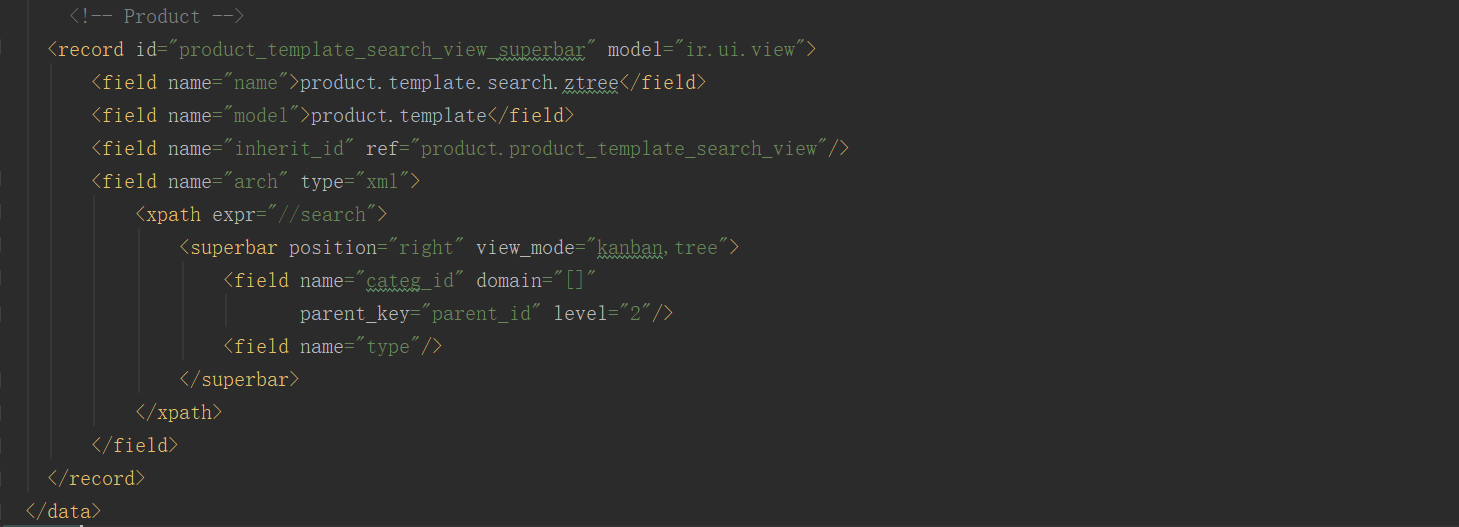
- Product navigate by category or type is ready. Click to download.
- Pos navigate by category or store is ready. Click to download.
- Account chart navigate by type is ready. Click to download.
- Project and Task navigate by partner / user / stage / tag is ready. Click to download.
- Contacts navigate by company is ready. Click to download.
- Sale order navigate by partner and channel is ready. Click to download.
- CRM browse by stage and team is ready. Click to download.
- Purchase order navigate by partner is ready. Click to download.
- Stock location navigate by parent is ready. Click to download.
- HR employee navigate by department is ready. Click to download.
- MRP manufacture order navigate by state workcenter is ready. Click to download.
- Apps Navigator by Category, Module Navigator is ready. Click to download.
- It is so easy to customize, you can use it in anywhere in odoo